Why the “Settings” Menu Fails on LTSC
Windows 11 IoT Enterprise LTSC is a locked-down environment. By default, it creates a rigid definition of “System Language” to prevent kiosks or industrial machines from accidentally switching locales during operation.
When you use the standard GUI (Add a Language), the request often times out because the consumer-grade Windows Update triggers are restricted. The PowerShell method we are using below calls the LanguagePackManagement module directly, which bypasses the UI restrictions and talks straight to the Microsoft Update Catalog.
Step-by-Step Guide: Changing Language on Windows 11 IoT LTSC
Step 1: Open PowerShell as Administrator
You cannot perform this action with standard user privileges.
-
Press the Start button.
-
Type
PowerShell. -
Right-click the result and select Run as Administrator.
Step 2: Install the Language Pack
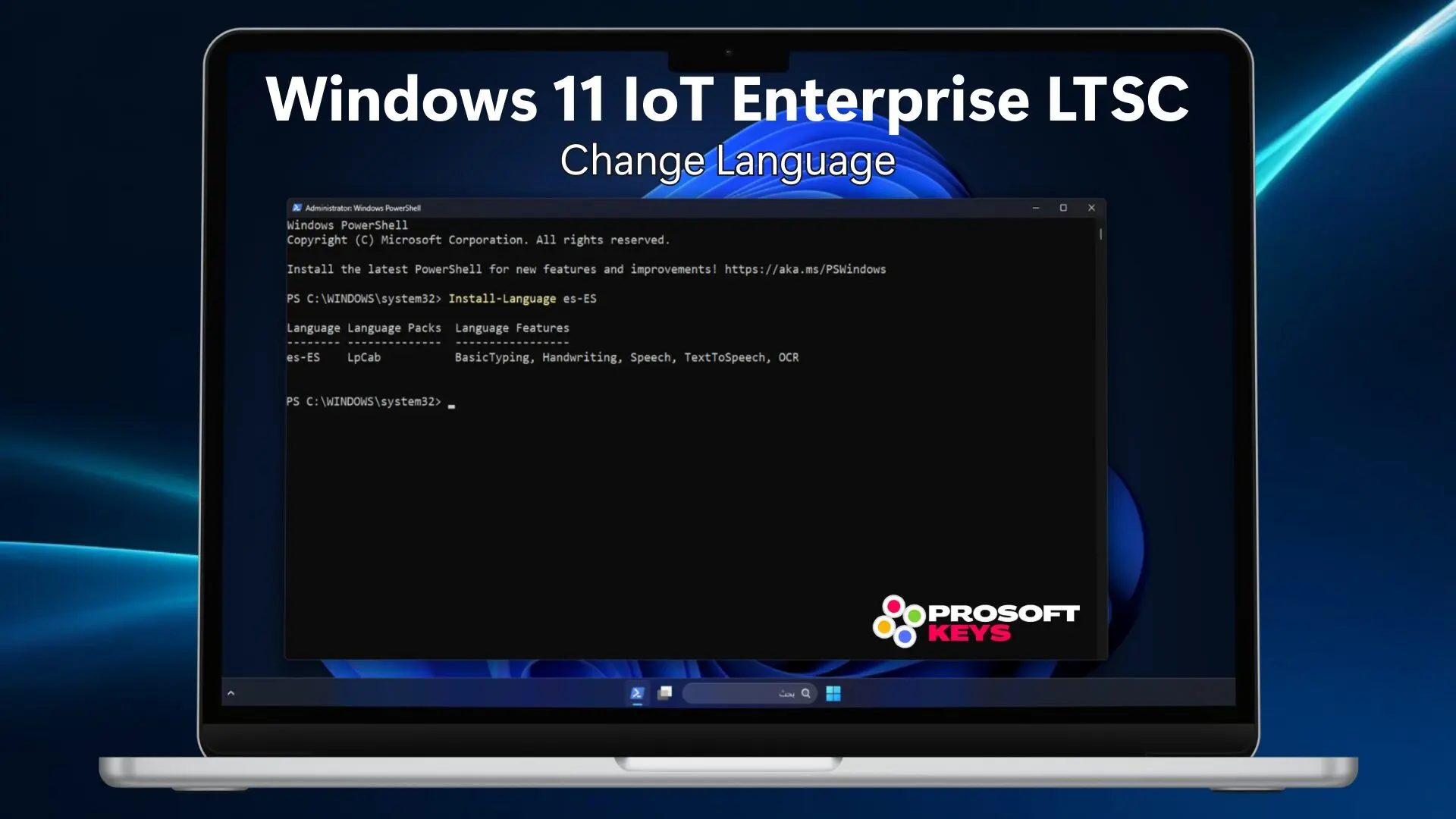
We will use the Install-Language cmdlet. This is superior to the old DISM method because it automatically downloads everything associated with that language: the UI text, text-to-speech features, handwriting recognition, and OCR capabilities.
Type the following command and hit Enter: (Replace es-ES with your desired language tag from the table below)

You will see a progress bar at the top of the terminal. This process usually takes several minutes depending on your internet speed.
Step 3: Set the System Preferred Language
Installing the pack isn’t enough; you must tell the Windows Boot Manager and the System UI to use it as the primary override.
Run this command:

Step 4: Reboot Your Machine
The changes require a full restart of the Windows Session Manager.
When you log back in, your Start Menu, Settings, and Explorer interface will be fully localized.
| Language | Country | Tag Code |
|---|---|---|
| Arabic | Egypt | ar-EG |
| Spanish | Spain | es-ES |
| Spanish | Mexico | es-MX |
| French | France | fr-FR |
| Japanese | Japan | ja-JP |
| German | Germany | de-DE |
| Portuguese | Brazil | pt-BR |
| Italian | Italy | it-IT |
| Chinese | Simplified (China) | zh-CN |
| Russian | Russia | ru-RU |
Troubleshooting & FAQ
“I get an error saying ‘The term Install-Language is not recognized'”
This usually means you are on an older build of Windows 10 LTSC (2019 or 2021). The Install-Language cmdlet was introduced in newer builds of Windows 11. For older versions, you must use the LPKsetup tool or DISM.
“Does this work offline?”
No. The Install-Language command requires an active internet connection to fetch the .cab files from Microsoft servers. If your LTSC machine is air-gapped (offline), you will need to download the “Language and Optional Features ISO” from your VLSC portal and install it manually via DISM.
“The language changed, but the Welcome/Login screen is still English”
If the login screen persists in English, run this additional command in PowerShell to copy your current settings to the Welcome screen and New User accounts: